Skip to content
FreeOctober 2026ShopsLead-genShopsLead-genShopsLead-gen
Works withGA4ClaudeChatGPTGA4, Claude, ChatGPT

GA4 Settings Collection TemplateFor the audit with Claude or ChatGPTFor the audit with Claude or ChatGPT

Fill-in template for your GA4 settings, ready to paste into Claude or ChatGPT for the audit.

Fill-in template for your GA4 settings, ready to paste into Claude or ChatGPT for the audit.

Fill-in template for your GA4 settings, ready to paste into Claude or ChatGPT for the audit.

GA4ClaudeChatGPT
GA4ClaudeChatGPT
GA4ClaudeChatGPT

What you get (+1 bonus)

  • Every setting, screen by screen.

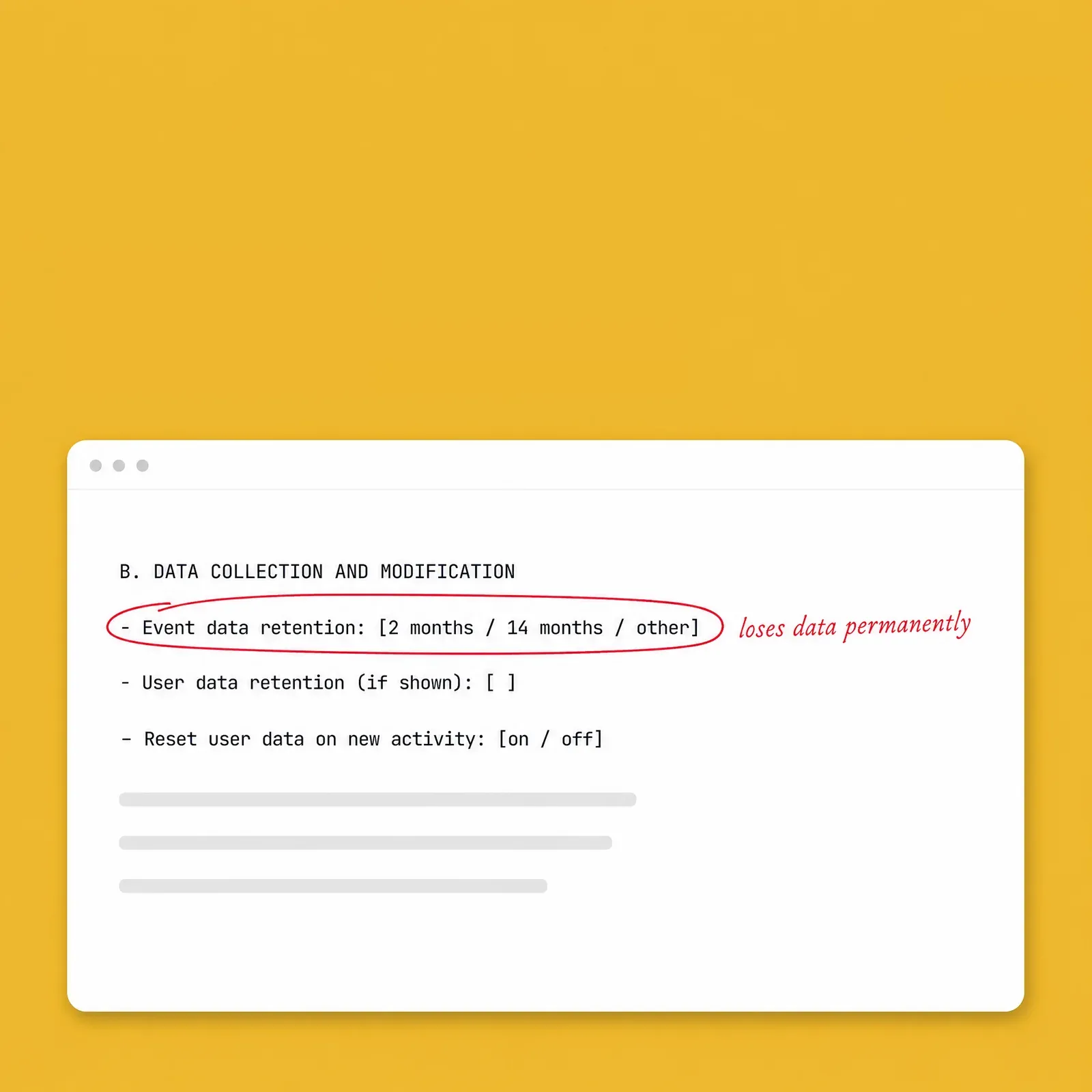
    Eight sections with the GA4 Admin menu path for each line, from property basics and data collection to product links, access and your Google Ads conversions.

  • Ready to paste.

    Copy the filled-in template into Claude or ChatGPT after the opener prompt in the audit guide, which is also on this page. It works without a GA4 connection.

  • Rules that keep it safe.

    Replace email addresses with roles, leave out customer data, copy rather than retype, and write "not sure" instead of guessing. The AI is told not to assume defaults.

  • Screenshots for the fiddly screens.

    A list of the six screens best captured as screenshots, what to blur on each, and a prompt that has the AI read them back before it judges anything.

  • +1 bonus

    An AI skill for Claude, ChatGPT, Gemini or Copilot

    that reads your filled-in template and runs the 20-check audit, marking each setting OK, Fix or Can't tell.

Free · about 15 seconds

Who it's for, and who it's not for

Two people at a desk test a website: one submits a test order on a phone while the other watches a debugging view on a laptop.

Who it's for

  • Anyone running the GA4 settings audit without a GA4 connection, who wants every setting collected in one place before pasting it into Claude or ChatGPT.
  • Owners of shops and lead-gen businesses who want a dated record of how GA4 is set up, to compare with next quarter's copy.
  • Teams where only some people have Administrator rights. Fill in what you can see, and ask whoever has Administrator to complete the rest, like the user lists.

Who it's not for

  • Anyone expecting the audit itself in this file. The template collects the settings; the 20 checks and their prompts are in the audit guide, also on this page.
  • Anyone without access to the GA4 property. You need at least Viewer access, and some screens need Administrator.

What's inside

PDF · About 20 minutes to fill in

Honest note

The template collects your settings, and the judging happens in the audit guide. Some screens need Administrator access, and "no access" or "not sure" are valid answers, so some checks may come back as Can't tell. Menu paths are as of 8 October 2026; if Google moves one, use the search bar in GA4. Leave out personal data and customer details before you paste anything.
Free · about 15 seconds
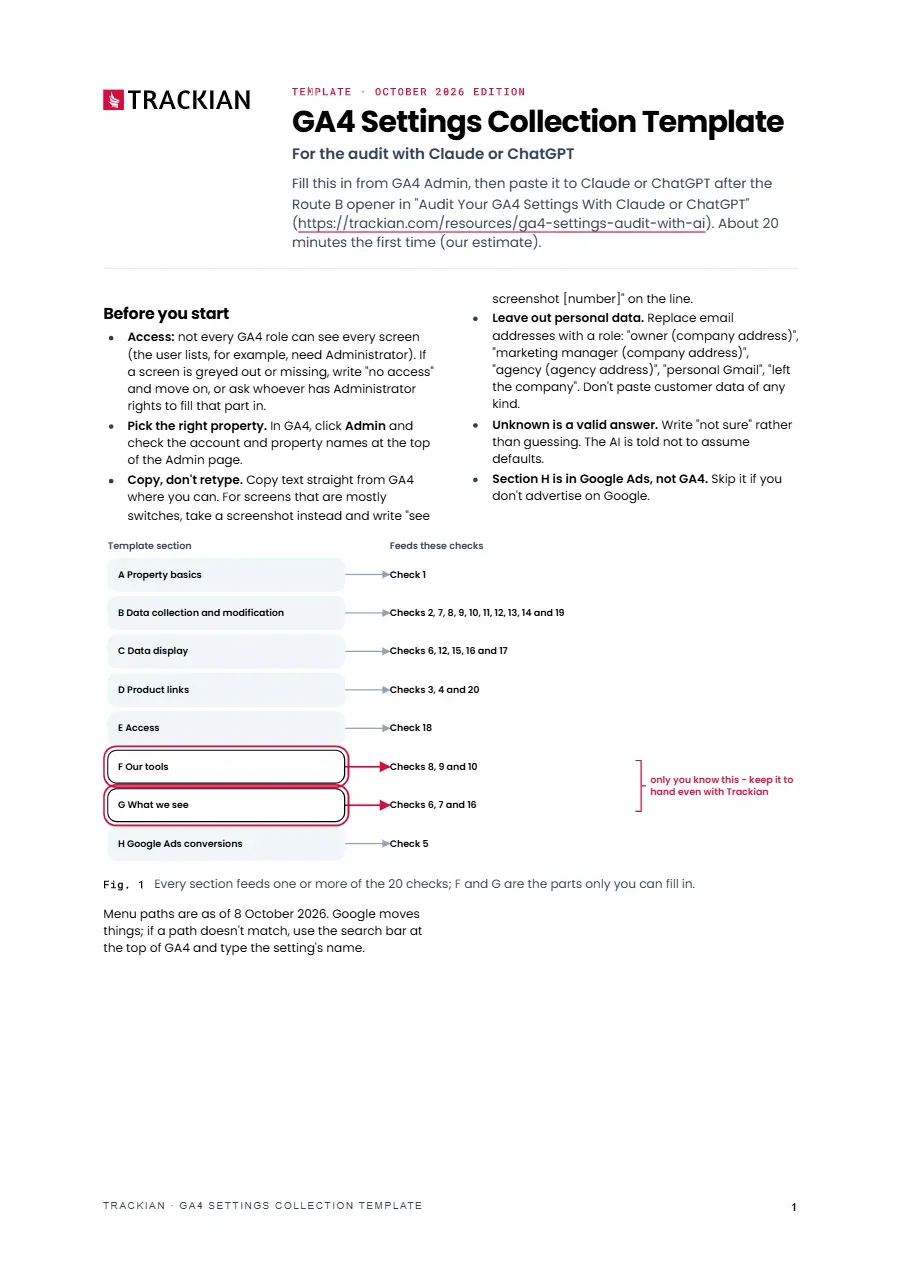
Page 1 of GA4 Settings Collection Template
1 / 3Before you start: fill it in from GA4 Admin, then paste it to the AI
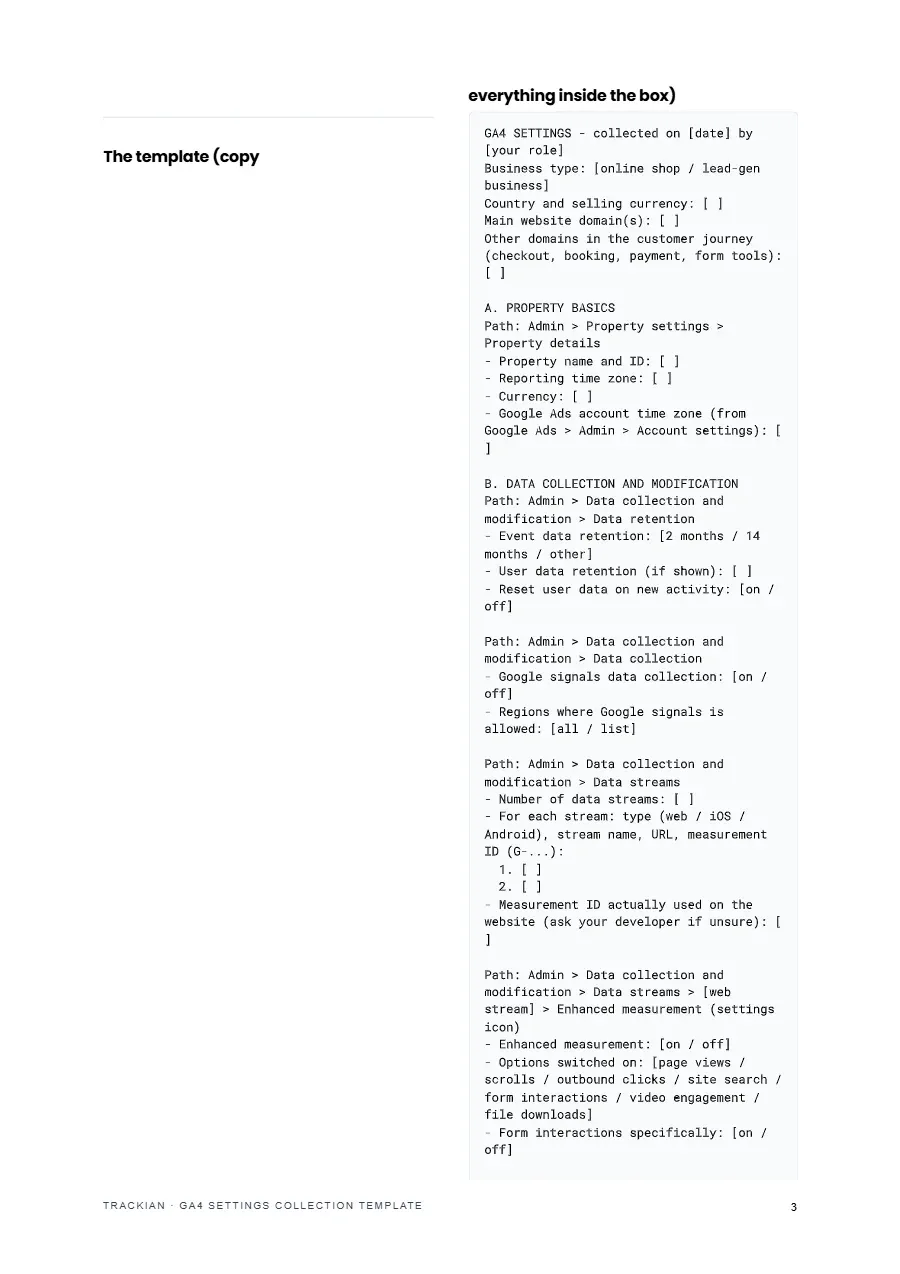
Page 3 of GA4 Settings Collection Template
2 / 3The template itself - copy everything inside the box
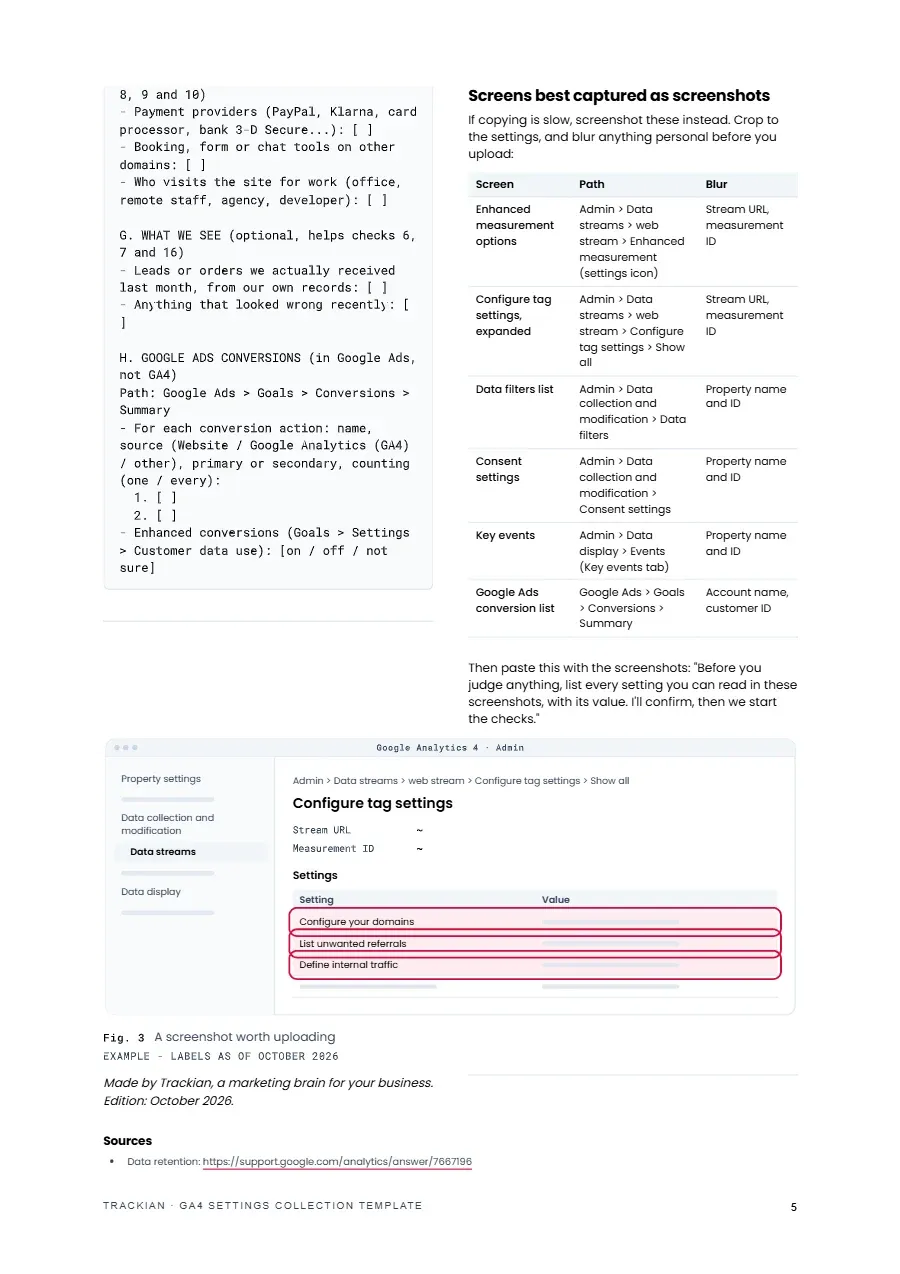
Page 5 of GA4 Settings Collection Template
3 / 3Screens best captured as screenshots

Shortlisted · 2025

Shortlisted at the 2025 European Search Awards

European Search Awards
Best Software InnovationShortlisted
Best Search Software ToolShortlisted

Featured in

SEOFOMO
40+integrations130+built-in AI tools~90 secsetup14-dayfree trial

Trusted by

  • Fibank
  • BAUHAUS
  • DSK Bank
  • myPOS
  • Orange
  • Remix
  • Serpact
  • Tavex
  • Videnov

Frequently asked questions

GA4ClaudeChatGPT

Free download

GA4 Settings Collection Template

PDF, about 20 minutes to fill in

  • Every setting, screen by screen
  • Ready to paste
  • Rules that keep it safe
  • Screenshots for the fiddly screens
  • +1 bonus: An AI skill for Claude, ChatGPT, Gemini or Copilot
Free · about 15 seconds