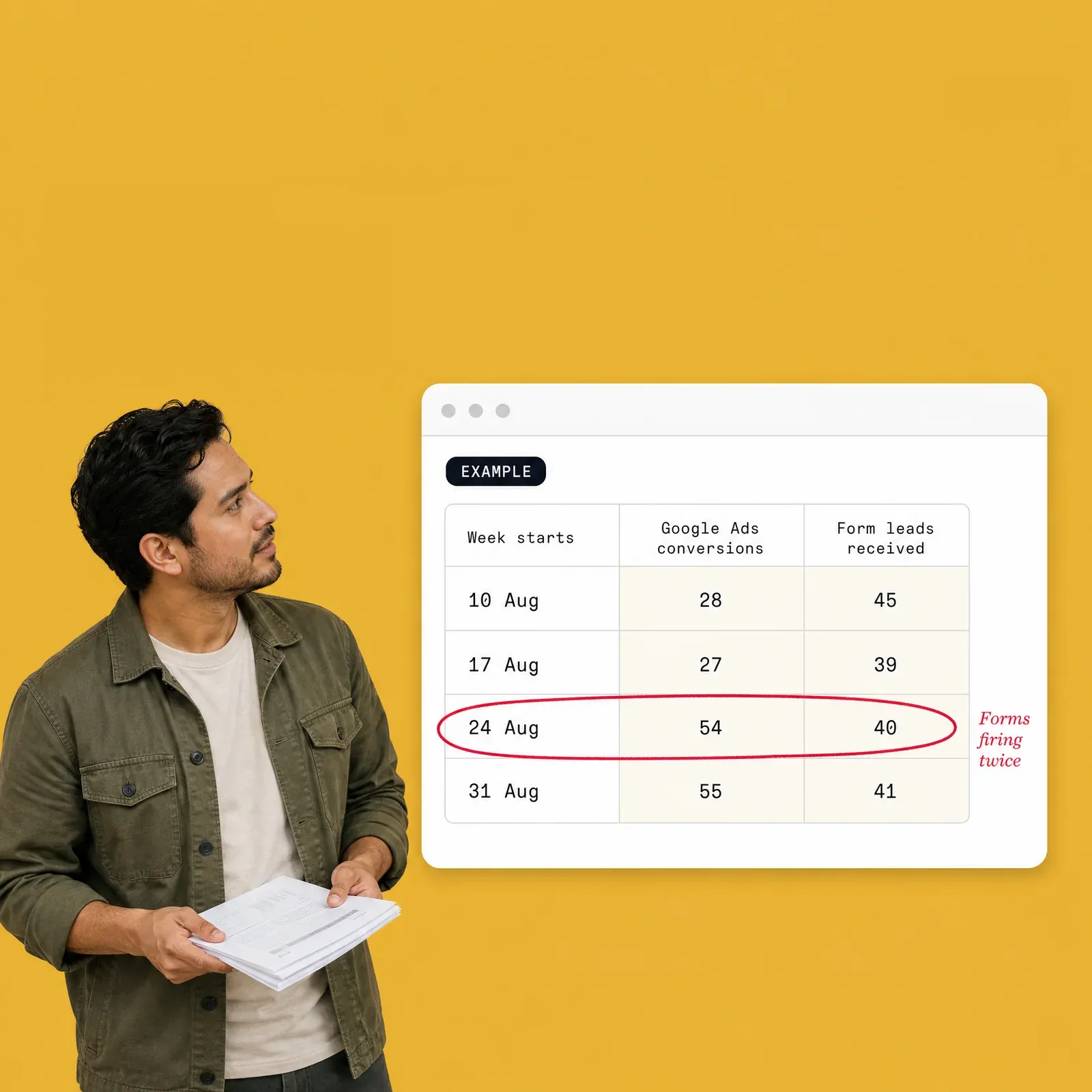
Are you paying for leads that never arrived? Line up 12 weeks of Google Ads, GA4 and Meta's lead counts with the leads that actually reached you. The sheet shows conversions that were counted twice or were spam, leads your ads never got credit for, and what each costs in your own numbers.
Are you paying for leads that never arrived? Line up 12 weeks of Google Ads, GA4 and Meta's lead counts with the leads that actually reached you. The sheet shows conversions that were counted twice or were spam, leads your ads never got credit for, and what each costs in your own numbers.
Are you paying for leads that never arrived? Line up 12 weeks of Google Ads, GA4 and Meta's lead counts with the leads that actually reached you. The sheet shows conversions that were counted twice or were spam, leads your ads never got credit for, and what each costs in your own numbers.
Forms firing twice
Forms firing twice
Forms firing twice
What you get (+1 bonus)
Missing Orders Sheet (shops)
30 days, day by day. A verdict (within normal range, worth checking, serious gap), the orders GA4 missed or counted twice, and the revenue your analytics and ads didn't see at your own average order value (an estimate, with the arithmetic shown).
01 / 06
Missing Leads Sheet (lead-gen)
12 weeks, week by week. Google Ads and GA4 against the leads you actually received, spam counted as leads, the ad spend optimised toward leads that don't exist, and the value of leads your ads never got credit for.
02 / 06
Seven pattern flags per sheet
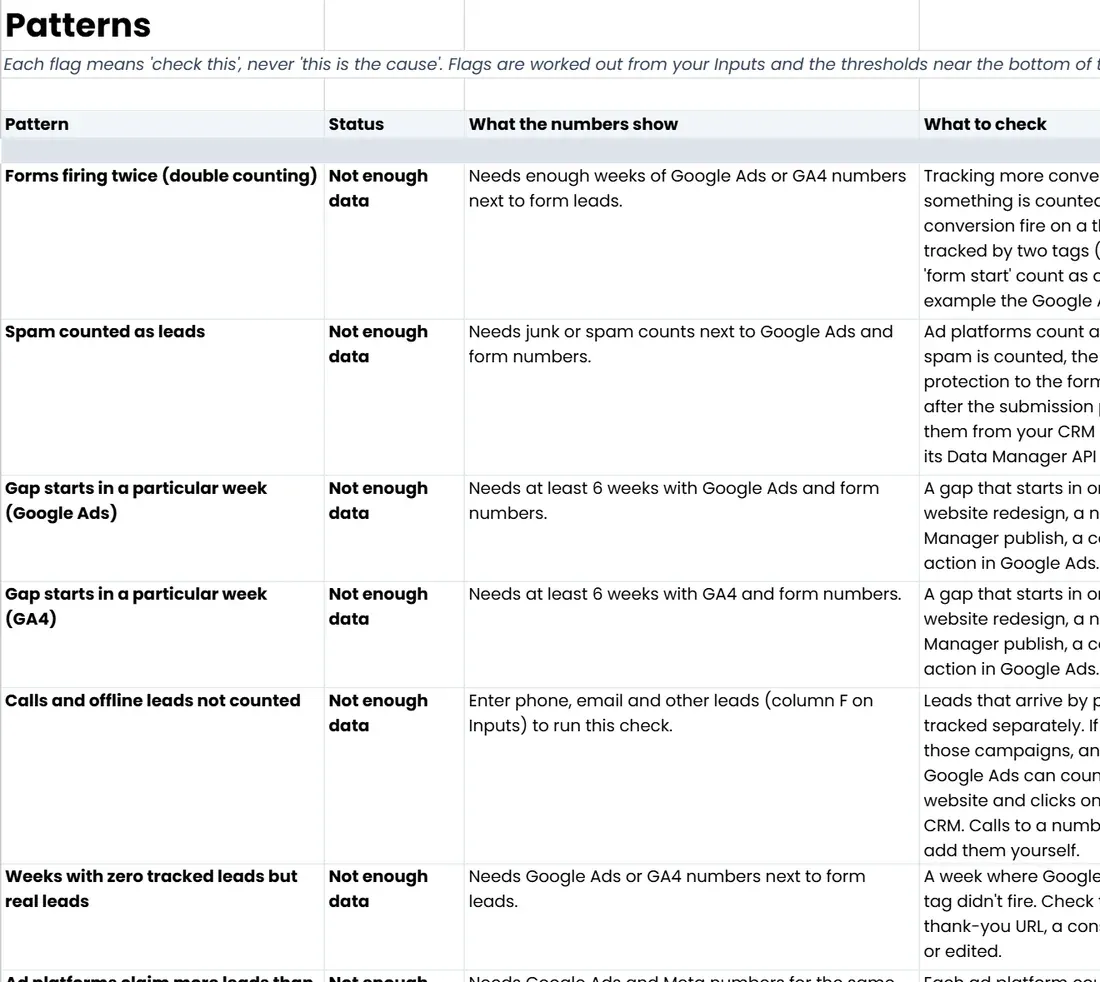
that say what to check first: a gap that starts on one date, weekend gaps, forms firing twice, zero-purchase days, platforms claiming more than you sold. Each one says "check this", never "this is the cause".
03 / 06
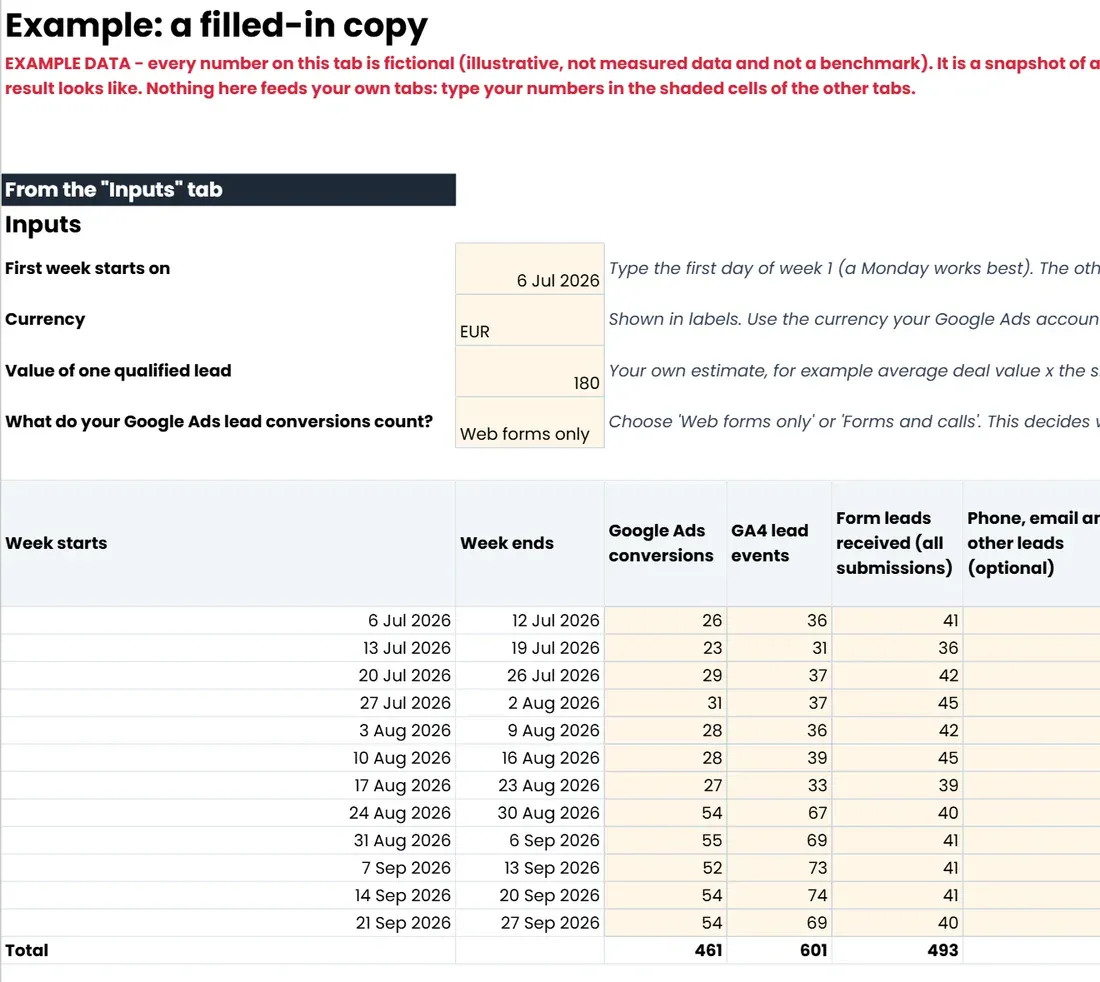
A filled-in example tab in the sheet
, so you can see what a broken setup looks like before you type your own numbers.
04 / 06
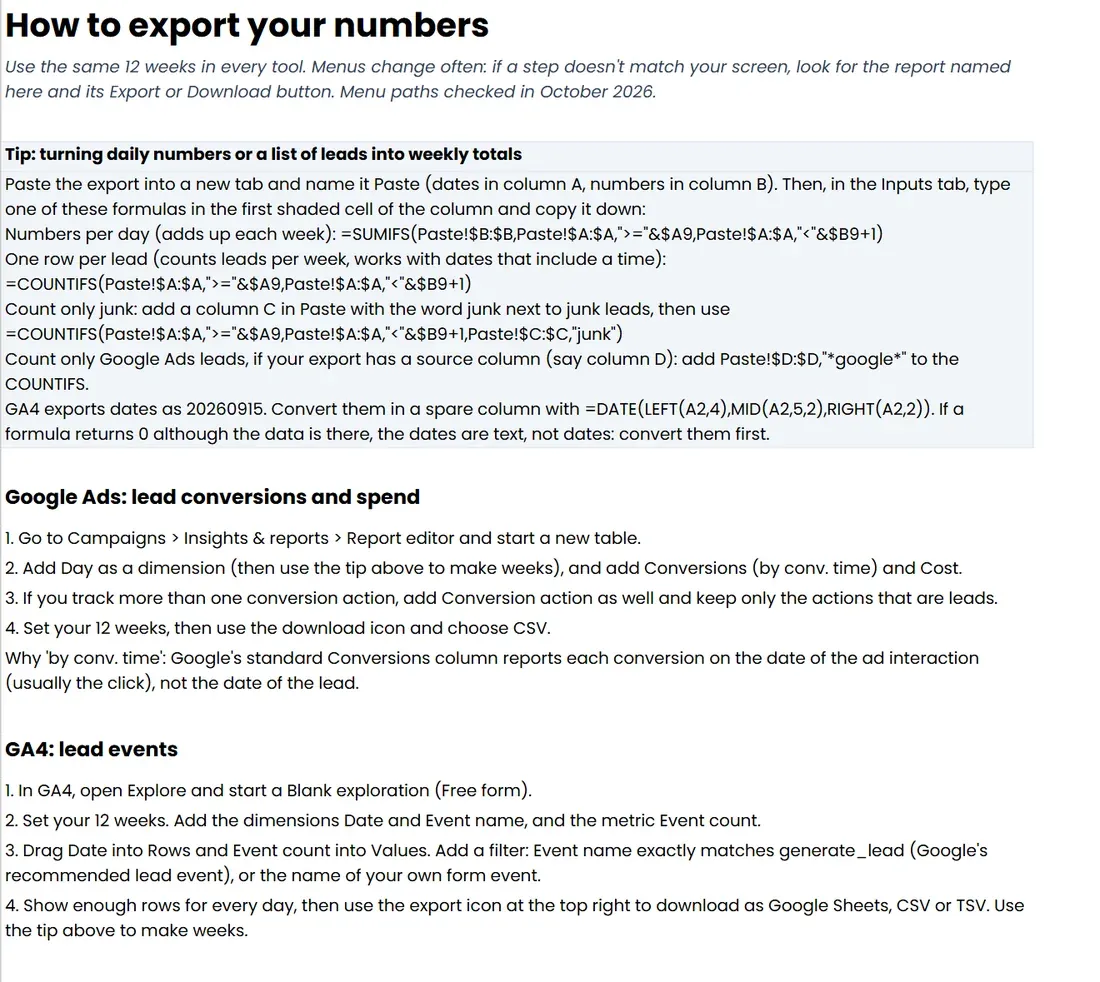
Export steps for every tool
GA4, Shopify, WooCommerce, Magento, PrestaShop, OpenCart, Google Ads, Meta and form tools.
05 / 06
An email to forward to your boss
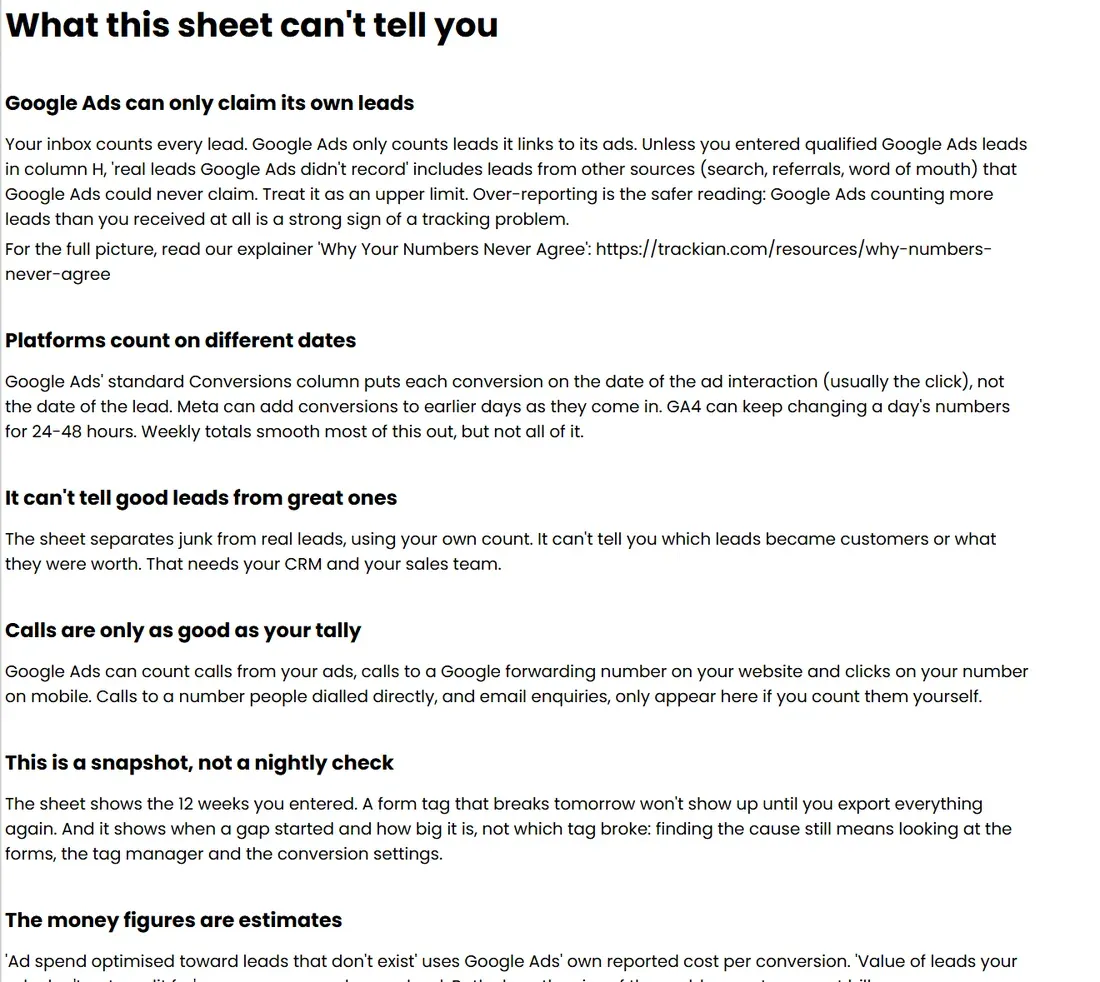
, filled in with your own result, plus a "What this can't tell you" tab that is honest about the limits.
06 / 06
+1 bonus
An AI skill for Claude, ChatGPT, Gemini or Copilot
that applies this to your own numbers.
Free · about 15 seconds
Who it's for, and who it's not for
Who it's for
Owners and marketing leads of online shops and lead-gen businesses running Google or Meta ads, who suspect the platforms' numbers don't match what really happened.
Agencies and freelancers who want a fair, client-proof way to show how far tracking and reality have drifted apart.
Shops and lead-gen businesses equally: each has its own sheet.
Who it's not for
Teams that already reconcile store orders or CRM leads with GA4 and the ad platforms every week - you'll recognise most of it.
Anyone without access to their own store orders or lead list: the sheet needs the real number to compare against.
Lead-gen businesses that want to ask Claude or ChatGPT about their real leads instead: Connect Your Lead List to Claude or ChatGPT https://trackian.com/resources/lead-list-to-claude-chatgpt.
What's inside
About 30 minutes
Honest note
The sheet is a snapshot of the period you enter, not a nightly check. It shows how big the gap is and when it started, not which tag broke: finding the cause still means looking at the site, the tags, the consent banner and the checkout or forms. Some gap is normal (declined cookies, ad blockers, payment pages), and every money figure is an estimate built from your own averages.
Free · about 15 seconds
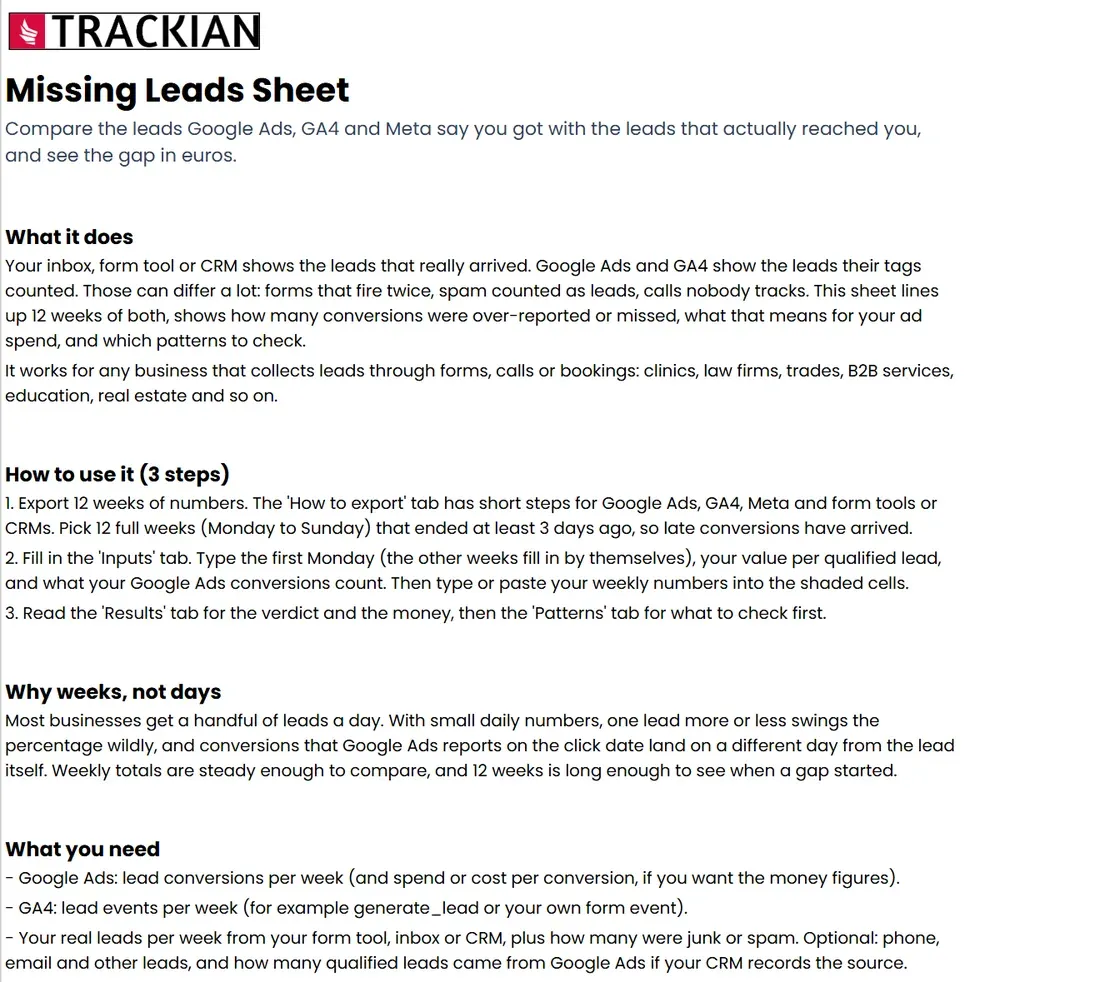
1 / 6Start here: what the sheet does, in 3 steps
2 / 6A filled-in copy with example data: 12 weeks of Google Ads, GA4 and form leads
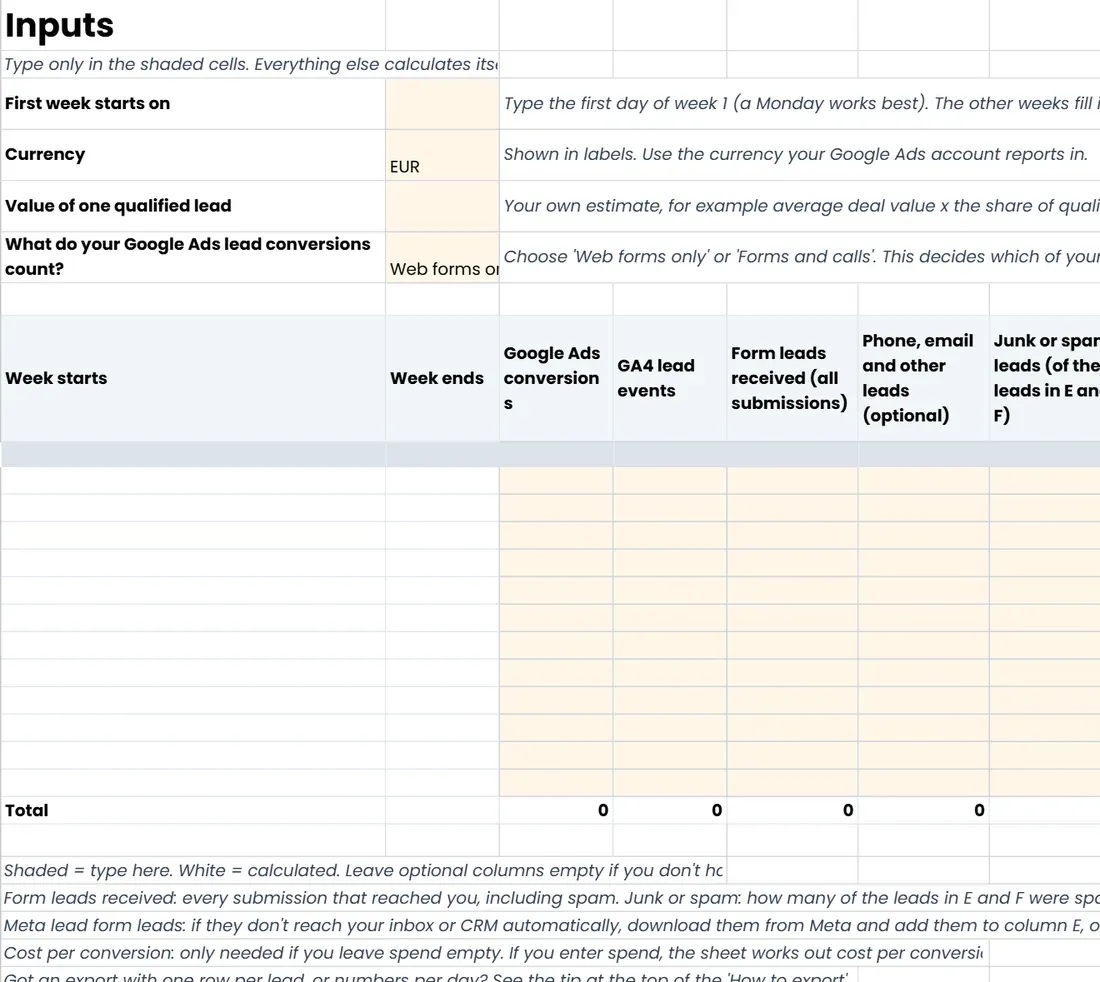
3 / 6Inputs: type your 12 weeks into the shaded cells; everything else calculates itself
4 / 6Patterns: each flag says what to check, never what the cause is
5 / 6How to export your numbers from Google Ads, GA4, Meta and your form tool
6 / 6What this sheet can't tell you
Shortlisted · 2025
Shortlisted at the 2025 European Search Awards
Best Software InnovationShortlisted
Best Search Software ToolShortlisted
Featured in
40+integrations130+built-in AI tools~90 secsetup14-dayfree trial
Trusted by
Frequently asked questions
Yes. The sheet and the AI skill are free to download, and there's nothing to pay later. You answer a few questions and the download starts straight away.
Your answers tell us which parts of the sheet matter most for your site, so the next step we suggest fits you. We use your email to send you the sheet and to follow up about it. Tracking tips and Trackian news only if you ask for them after the download.