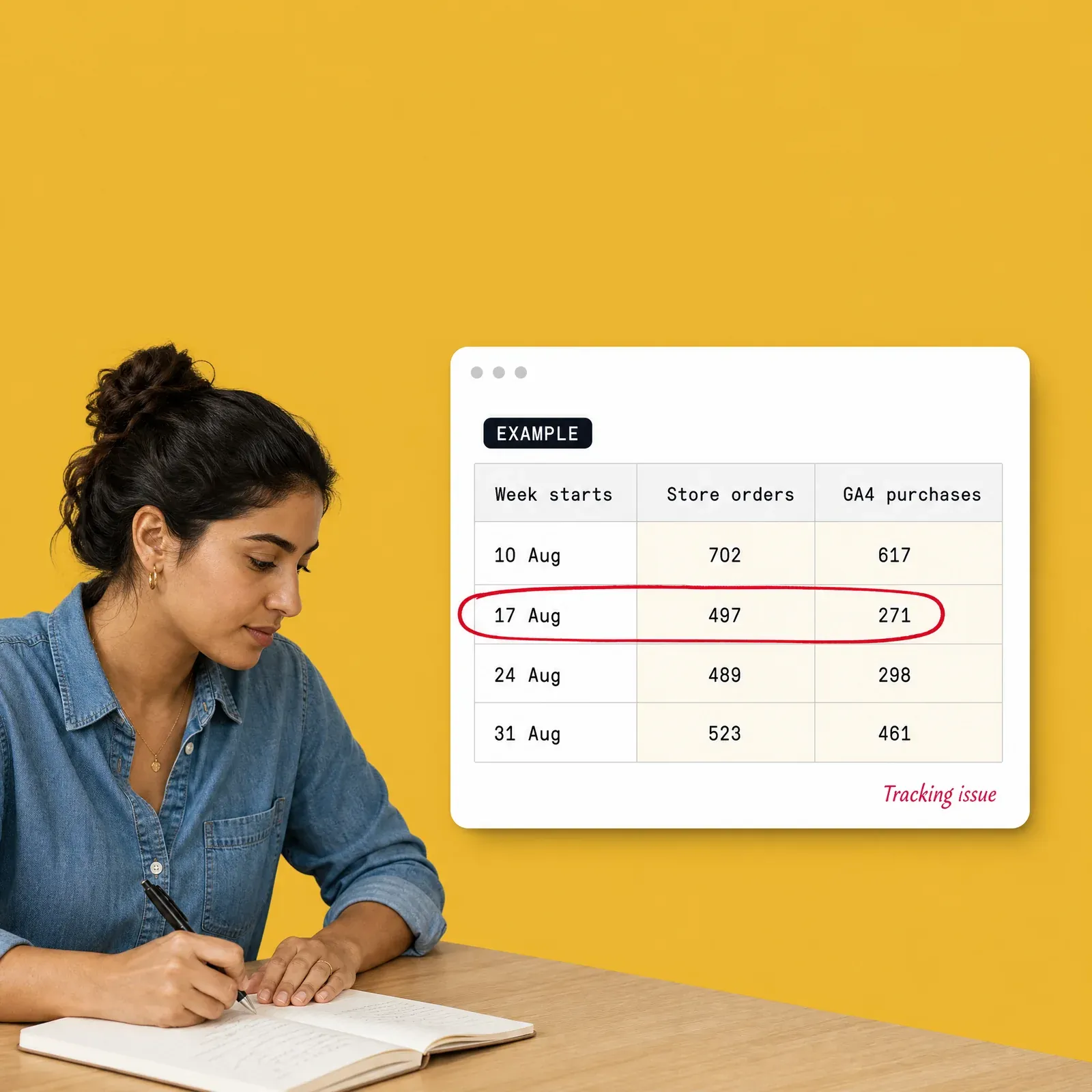
Is it real, or is your tracking broken? Seven numbers every Monday. Seven numbers every Monday, one question each: is it real? Type last week's revenue, orders, spend and GA4 purchases into one row. The sheet compares each number with the four weeks before, flags any move bigger than your limit, and asks you to label it: real change, tracking issue, seasonal or promotion.
Real Growth or Broken Tracking? Seven numbers every Monday, one question each: is it real? Type last week's revenue, orders, spend and GA4 purchases into one row. The sheet compares each number with the four weeks before, flags any move bigger than your limit, and asks you to label it: real change, tracking issue, seasonal or promotion.
Real Leads or Broken Forms? Know every Monday. Seven numbers in one row a week, including the two no ad platform gives you: real leads and sales. When reported leads jump and real leads don't, the sheet tells you the same Monday, not at the end of the quarter.
The Owner's Weekly Numbers
What you get (+1 bonus)
One page for Monday
seven numbers against last week and the four weeks before. Shops: revenue, orders, new-customer share, blended ROAS on store revenue, ad spend, conversion rate, tracking health. Lead-gen: reported leads, real leads, cost per real lead, lead-to-sale rate, ad spend, form health, top source.
01 / 06
A "Did this move for a real reason?" column
on every number: Real change, Tracking issue, Seasonal, Promotion or Don't know yet - and a Reason log that turns it into a record.
02 / 06
A built-in tracking check
GA4 purchases against store orders (shops) or reported against real leads (lead-gen), judged on the change, not the level.
03 / 06
13 weeks of history with a small trend for each number
, and room for 52 weeks of input.
04 / 06
The Monday 10-minute routine
where to find every number in Shopify, WooCommerce, GA4, Google Ads and Meta, and five questions to ask when a flag fires.
05 / 06
An email to forward to your boss
, filled in from the page, and a filled-in example tab.
06 / 06
+1 bonus
An AI skill for Claude, ChatGPT, Gemini or Copilot
that applies this to your own numbers.
Free · about 15 seconds
Who it's for, and who it's not for
Who it's for
Owners, founders and marketing leads of online shops and lead-gen businesses who read the numbers every week and want to know which moves are real.
Agencies and freelancers who report weekly to an owner and want a shared, honest page to report on.
Shops and lead-gen businesses equally: each has its own edition.
Who it's not for
Teams that already join store or CRM data with GA4 and the ad platforms in a reporting tool they trust - you'll have most of these numbers already.
Anyone who can't see their own store orders or lead list: the sheet is built on the real number, not the platforms' claims.
Lead-gen owners who'd rather ask their AI assistant: Connect Your Lead List to Claude or ChatGPT https://trackian.com/resources/lead-list-to-claude-chatgpt.
What's inside
About 10 minutes a week
Honest note
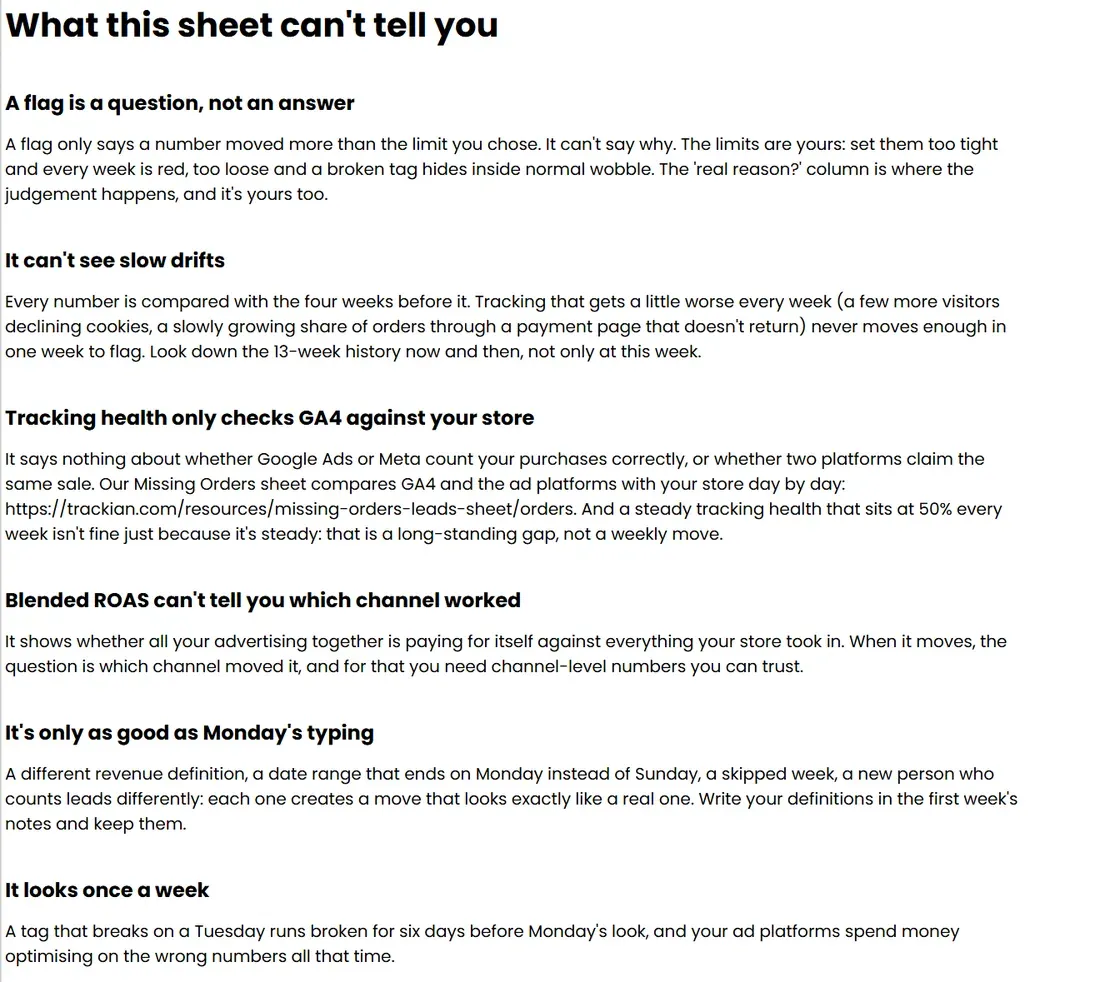
The sheet only knows what you type into it, once a week. A flag says a number moved more than the limit you chose, not why; it can't see slow drifts, and tracking health only compares GA4 with your store (or reported with real leads), not each ad platform. The default limits are starting points, not benchmarks. The week after a tracking fix can flag too, because the 4-week average still holds the broken weeks - the sheet explains this rather than hiding it.
Free · about 15 seconds
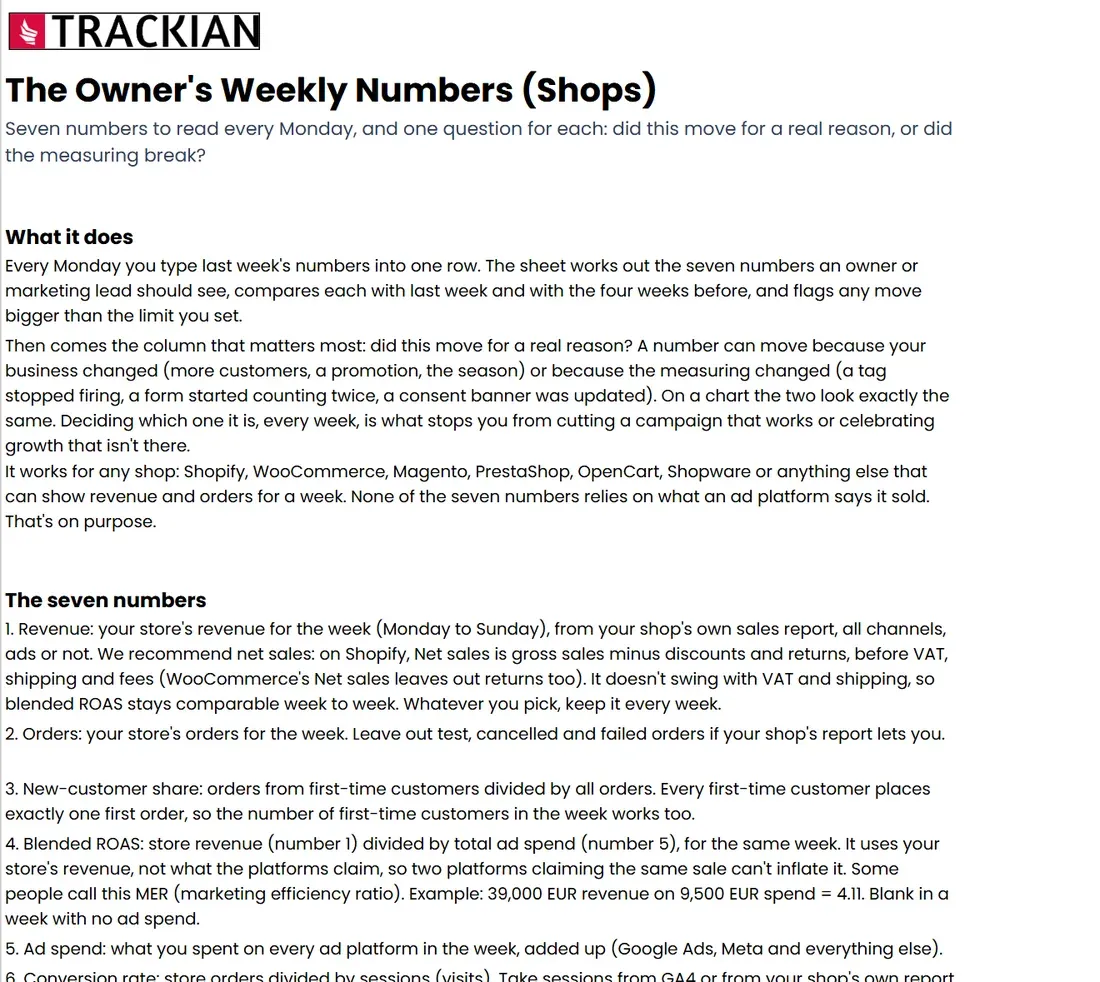
1 / 5Start here: seven numbers to read every Monday, and one question for each
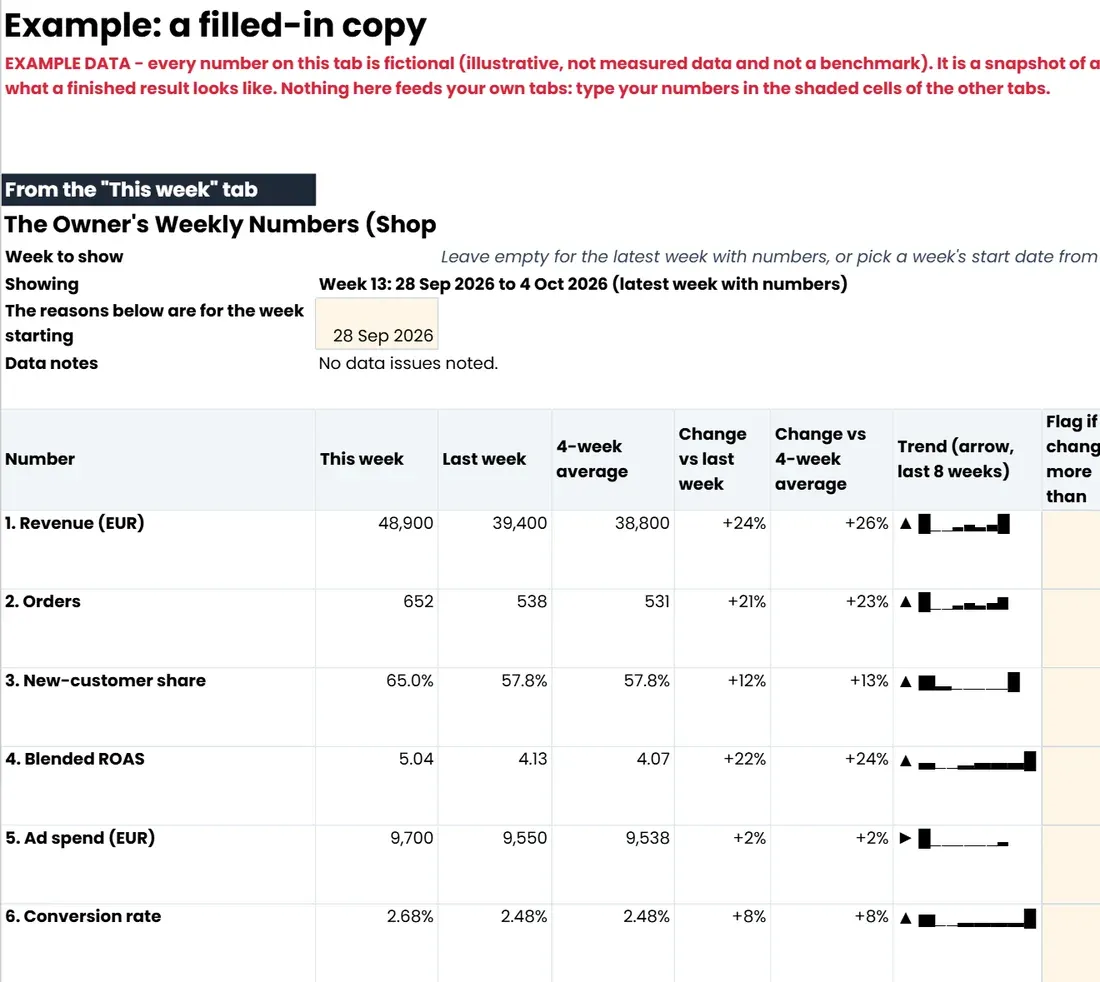
2 / 5A filled-in copy with example data: this week against last week and the 4-week average
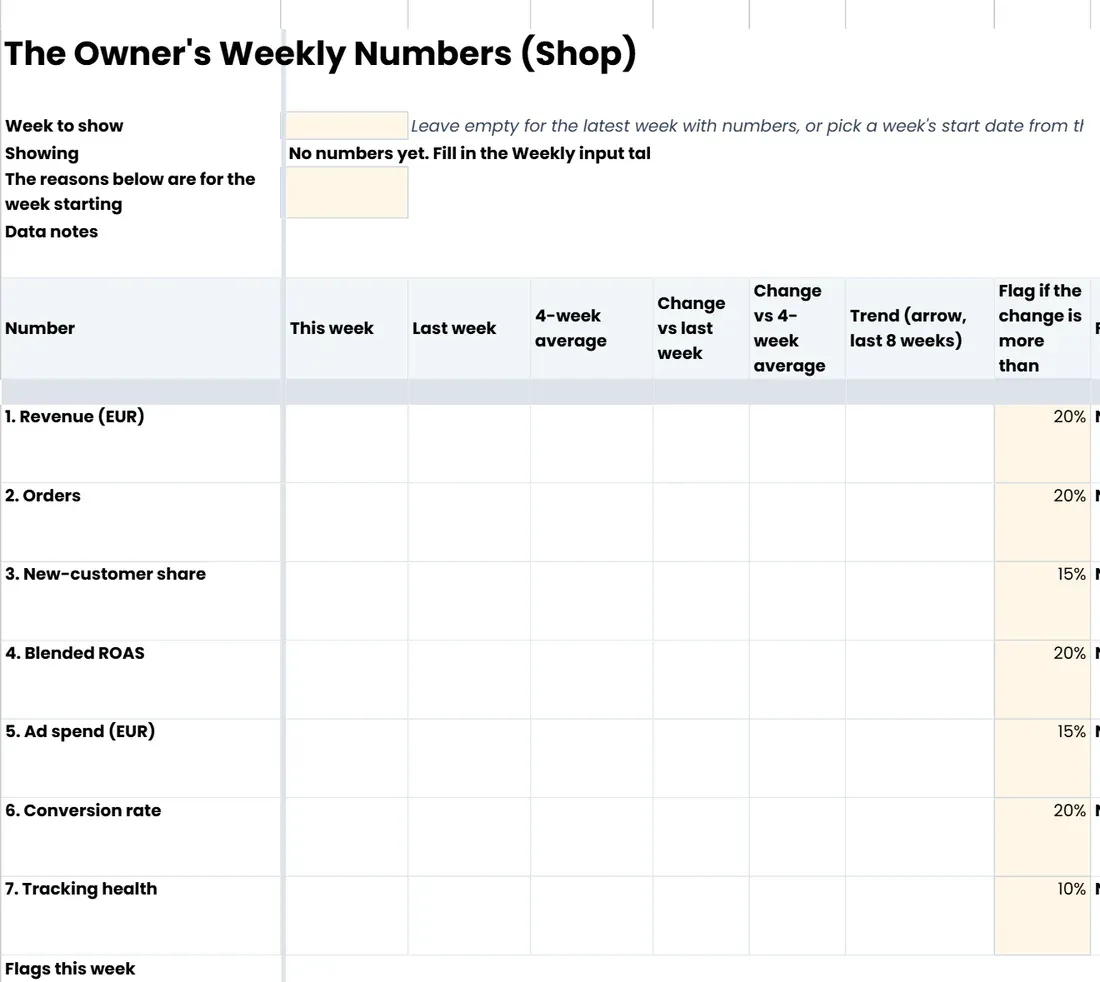
3 / 5This week: each number against last week and the 4-week average, flagged when it moves more than your limit
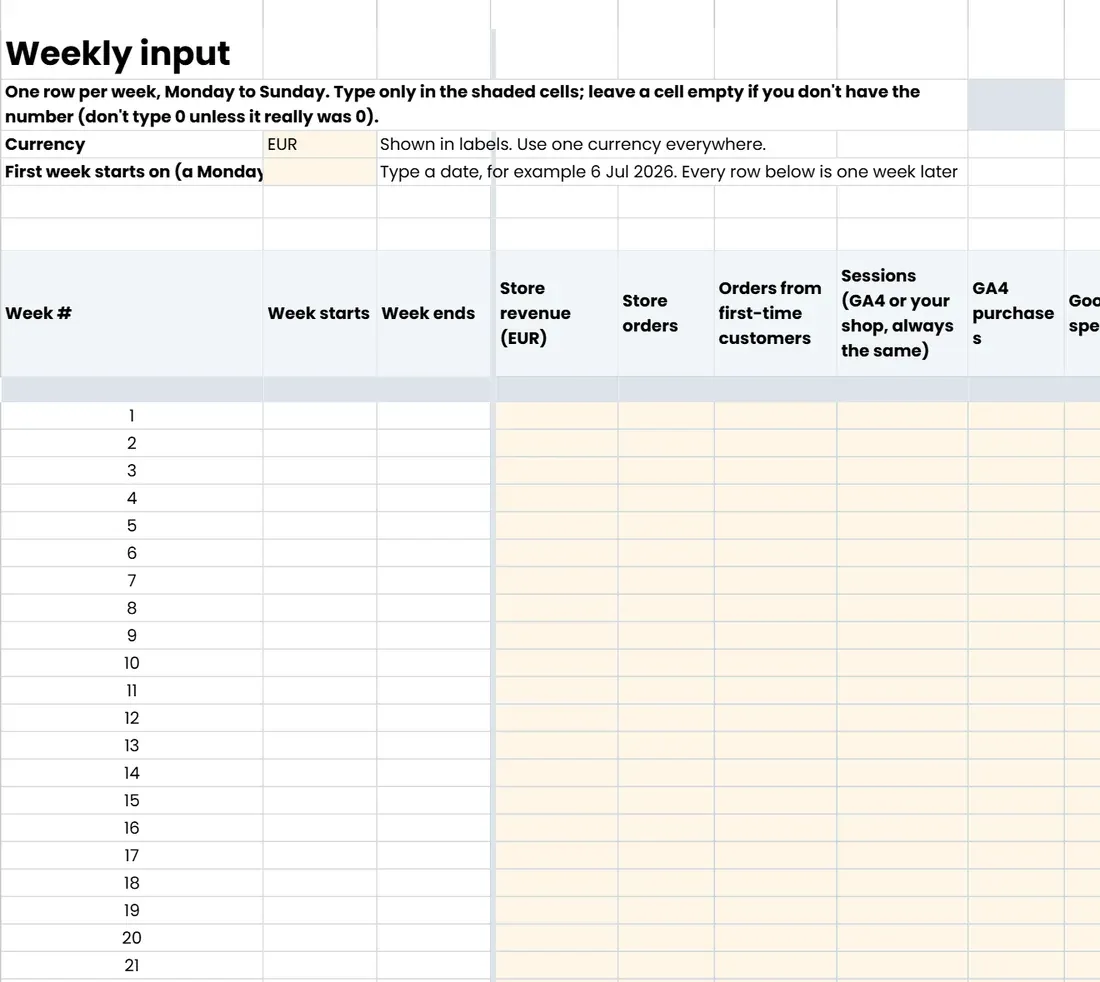
4 / 5Weekly input: one row per week, Monday to Sunday
5 / 5What this sheet can't tell you
Shortlisted · 2025
Shortlisted at the 2025 European Search Awards
Best Software InnovationShortlisted
Best Search Software ToolShortlisted
Featured in
40+integrations130+built-in AI tools~90 secsetup14-dayfree trial
Trusted by
Frequently asked questions
Yes. The sheet and the AI skill are free to download, and there's nothing to pay later. You answer a few questions and the download starts straight away.
Your answers tell us which parts of the sheet matter most for your site, so the next step we suggest fits you. We use your email to send you the sheet and to follow up about it. Tracking tips and Trackian news only if you ask for them after the download.